
Most website redesigns start with something like, “It just feels outdated.”
And while that’s not technically wrong, it’s also where a lot of redesigns quietly go off the rails.
I’ve seen beautifully redesigned websites lose traffic, confuse customers, or stop generating leads. Not because the design was bad, but because there was no clear plan behind it. UX decisions were made too late. SEO was treated like an afterthought. And no one could quite explain what success was supposed to look like when the site launched.
A solid website redesign checklist changes that. It helps you think through user experience, protect the SEO value you’ve already built, and move through the process with a realistic website redesign timeline—without scrambling at the end.
This checklist is the one I walk clients through before a single page gets redesigned.
Why Website Redesigns Fail (and How to Avoid Falling into These Traps)
The main reasons I’ve observed website redesigns failing are:
- Redesigning for “looks” instead of solving business problems
- Losing SEO rankings overnight
- Forgetting the customer journey
- No clear timeline or ownership
It’s so easy to fall into these traps. We’re wired to make things beautiful. We get bored with analytics, numbers, and SEO. We assume the customers know what they need to do next. And we often feel like we’re too busy to take on something as complicated as a website refresh.
That’s exactly why it’s so important to have checklists to follow. I have even made the mistake of missing one of these steps. That’s why I created the checklists. To keep me from messing up when clients and their businesses are at stake.
Step 1 – Find Your Why for Redesigning Your Website
If you get really clear from the beginning about what you’re trying to accomplish with the redesign, you can focus on making sure that actually happens. When things get crazy and you see a million new ideas that seem like you need to follow them, you can focus on why you’re doing the redesign in the first place and reign in the craziness.
What is your site supposed to do? Is it for gathering leads, gaining trust, educating your customers, or providing clarity?
Once you know what it’s supposed to do, you can measure how well it’s doing that. What’s working? What’s not? Are you confusing people with too much information? Is your purpose clear? Are your next steps clear? Is your contact information up to date? Are your links and offers relevant to your current market?
This is where a good checklist will come in handy.
Step 2 – UX Website Redesign Checklist (Design For Your People)
The first checklist is the UX (User Experience) checklist. This is where you really dive into how people are using your site. You look at what their experience feels like and how you can improve it.
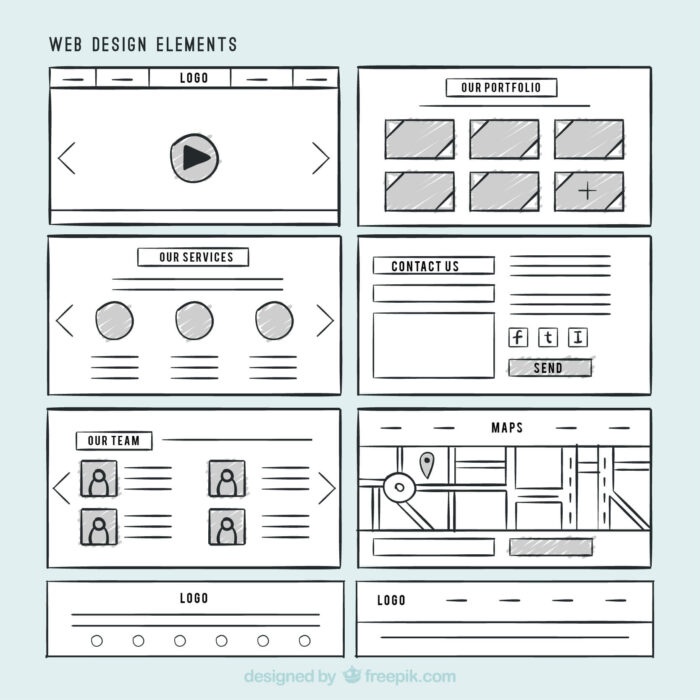
Here’s the checklist I go through with my redesign clients:
- Is there a clear primary call to action on every key page?
- Is there simple navigation? (No hunting for information)
- Are the layouts scannable? (headings, spacing, contrast)
- How does the mobile experience look?
- Is your site accessible to people with disabilities? (font size, contrast, buttons)
- How does the page flow? Do you guide them through their journey in a clear way, leading to action?
This step isn’t about what’s trendy and cute. It’s about reducing friction for your customers. It’s about making things obvious, so they know they’re in the right place.
Step 3 – SEO Website Redesign Checklist (Don’t Lose What You’ve Built)
One of the saddest things to see is when people redesign a site that has been doing well in search engines with a site that has so little content that it can’t rank for much of anything. They lose their rankings overnight and wonder why.
It happens so often because it’s the boring part. It’s the part that gets overlooked by people who don’t understand what they’re doing. They just concentrate on the pretty design and miss the organic traffic machine that’s been working for years.
This is why it’s so important to have a checklist for SEO part of things, especially on a whole-site redesign.
- Crawl and document all of the existing URLs
- Preserve or redirect high-performing pages
- Keep page titles and meta-descriptions intentional
- Avoid changing URLs unnecessarily
- Re-submit the sitemap to Search Console after launch
- Check page speed and Core Web Vitals
- Maintain internal linking structure
This step is maintaining your equity in your website. It’s not just “doing SEO” it’s protecting the “Google juice” you’ve already established in your existing site.
Step 4 – Your Website Redesign Timeline (What’s Realistic?)
How long does it take to do a typical website redesign? It depends on the scope of the project, communication styles, and the clarity of decisions, but a typical site redesign looks like this:
- Strategy and planning: 1-2 weeks
- UX & content structure: 1-2 weeks
- Design & Build: 2-4 weeks
- Testing & Revision: 1-2 weeks
- Launch & Post-launch cleanup: 1 week
I offer a home-page refresh that is a much smaller version of a site refresh. It typically takes 1-2 weeks from start to finish and is much less involved. If you’re interested in finding out if this is for you, reach out.
Step 5 – Pre-Launch Website Redesign Checklist (Don’t Skip This)
Once your new site is ready, it’s time for the pre-launch website redesign checklist. Although it’s tempting to just make it live, this is one checklist you don’t want to skip. Here’s what it typically looks like:
- Test all forms
- Test all purchases
- Check all links to make sure they work
- Review mobile version of the site on as many devices as possible
- Install analytics and any tracking codes (be sure to update your privacy policy and terms of use as well as cookies consent banners)
- Backup your website
- Configure and test all redirects
Step 6 – Post-Launch Checklist (The Part Most People Skip, but Shouldn’t)
I guess it’s like when you bake your last batch of cookies and think you’re done, but end up burning them instead. Don’t walk away, thinking you’re finished once you launch your site. There is still work to be done.
- Monitor traffic and rankings
- Fix 404s (broken links or missing pages) right away
- Watch user behavior
- Adjust any CTA’s (Calls to Action) that aren’t performing well
- Collect feedback
This not only solves problems before they get out of hand, it also reinforces long-term thinking. It helps you be better at maintaining your site when you get in a habit of checking it regularly.
Final Thoughts: A Redesign Is a Business Decision, Not a Decoration
Redesigns are a strategy to help improve your customer’s experience, gain traffic, and improve conversions. It’s not just for aesthetics.
If you’re planning a website redesign and want an extra set of eyes on UX, SEO, or timeline planning, this is exactly the kind of work I help clients think through.
And, if you’re wanting a smaller version of just a homepage refresh, that’s right up my alley.